
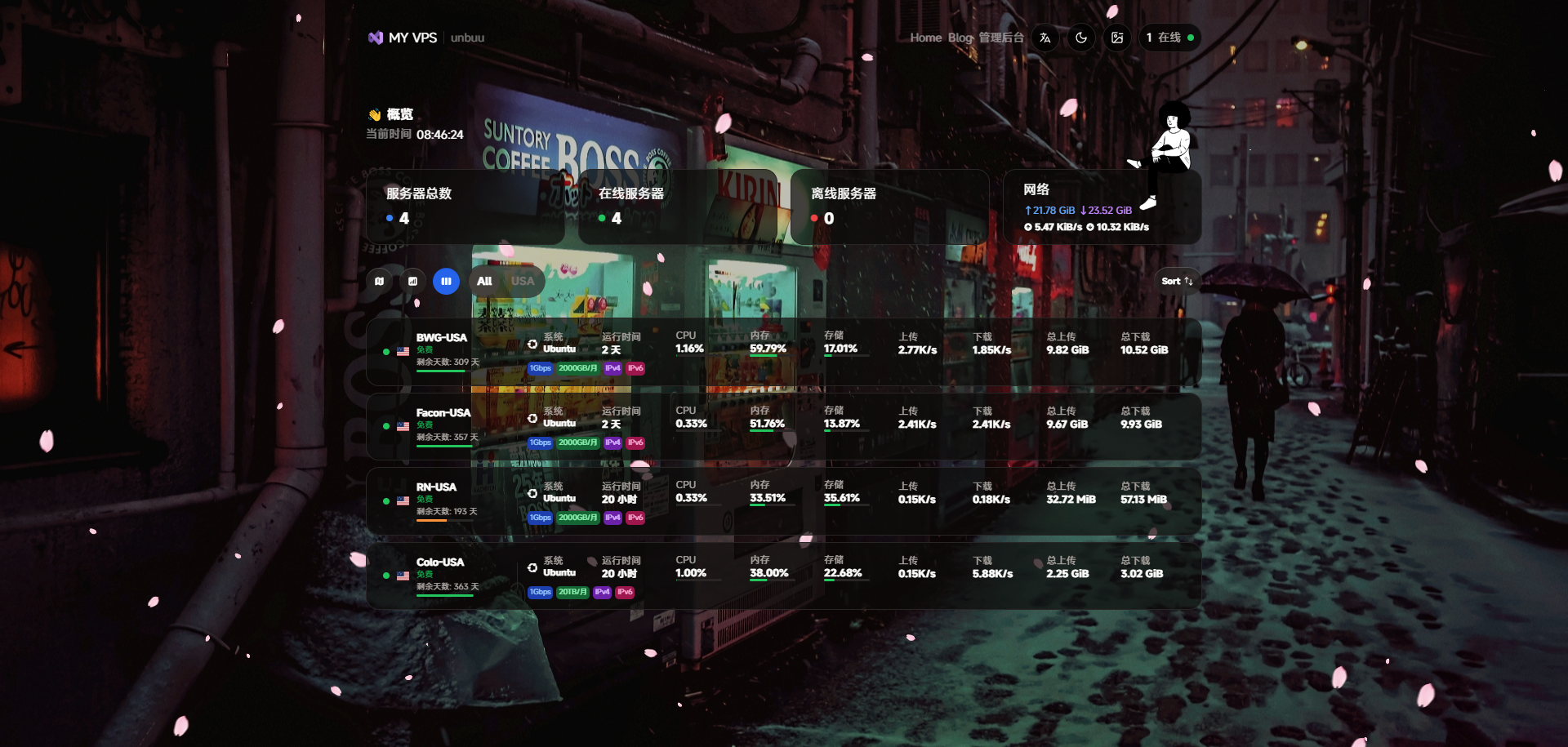
哪吒美化代码
自用的美化代码:
<script>
    window.CustomBackgroundImage = 'https://t.alcy.cc/ycy';
    window.CustomMobileBackgroundImage = 'https://t.alcy.cc/ycy';
    window.CustomLogo = 'https://www.ainibabi.buzz/upload/icon.png';
    window.CustomDesc = 'Forme';
    window.ShowNetTransfer = true;
    window.DisableAnimatedMan = false;
    window.FixedTopServerName = true;
    window.ForceUseSvgFlag = true;
    window.CustomLinks = '[{"link":"https://jk.ainibabi.buzz/","name":"Home"},{"link":"https://www.ainibabi.buzz/","name":"Blog"}]';

    var link = document.createElement('link');
    link.rel = 'stylesheet';
    link.href = 'https://font.sec.miui.com/font/css?family=MiSans:400,700:MiSans';
    document.head.appendChild(link);
</script>

<!-- 特效:爱心、樱花、星星 -->
<script src="https://cdn.jsdelivr.net/gh/mocchen/cssmeihua/js/aixin.js"></script>
<script src="https://cdn.jsdelivr.net/gh/mocchen/cssmeihua/js/yinghua.js"></script>
<script src="https://cdn.jsdelivr.net/gh/mocchen/cssmeihua/js/xiaoxingxing.js"></script>

<style>
    * {
        font-family: 'MiSans';
    }
    h1, h2, h3, h4, h5 {
        font-family: 'MiSans', sans-serif;
    }

    .mobile-iframe {
        display: none;
    }
    @media (max-width: 768px) {
        .mobile-iframe {
            display: none;
        }
    }

    .dark .bg-cover::after,
    .light .bg-cover::after {
        display: none !important;
    }

    footer {
        display: none;
    }
</style>
具体效果:
可以去我的探针查看:https://jk.ainibabi.buzz
本文是原创文章,采用 CC BY-NC-ND 4.0 协议,完整转载请注明来自 程序员小航
评论
匿名评论
隐私政策
你无需删除空行,直接评论以获取最佳展示效果